【AI Blog Series Episode 3】Connecting Detection, Notification, and Improvement: Summary of Where Edge × Cloud Video AI Can Be Used
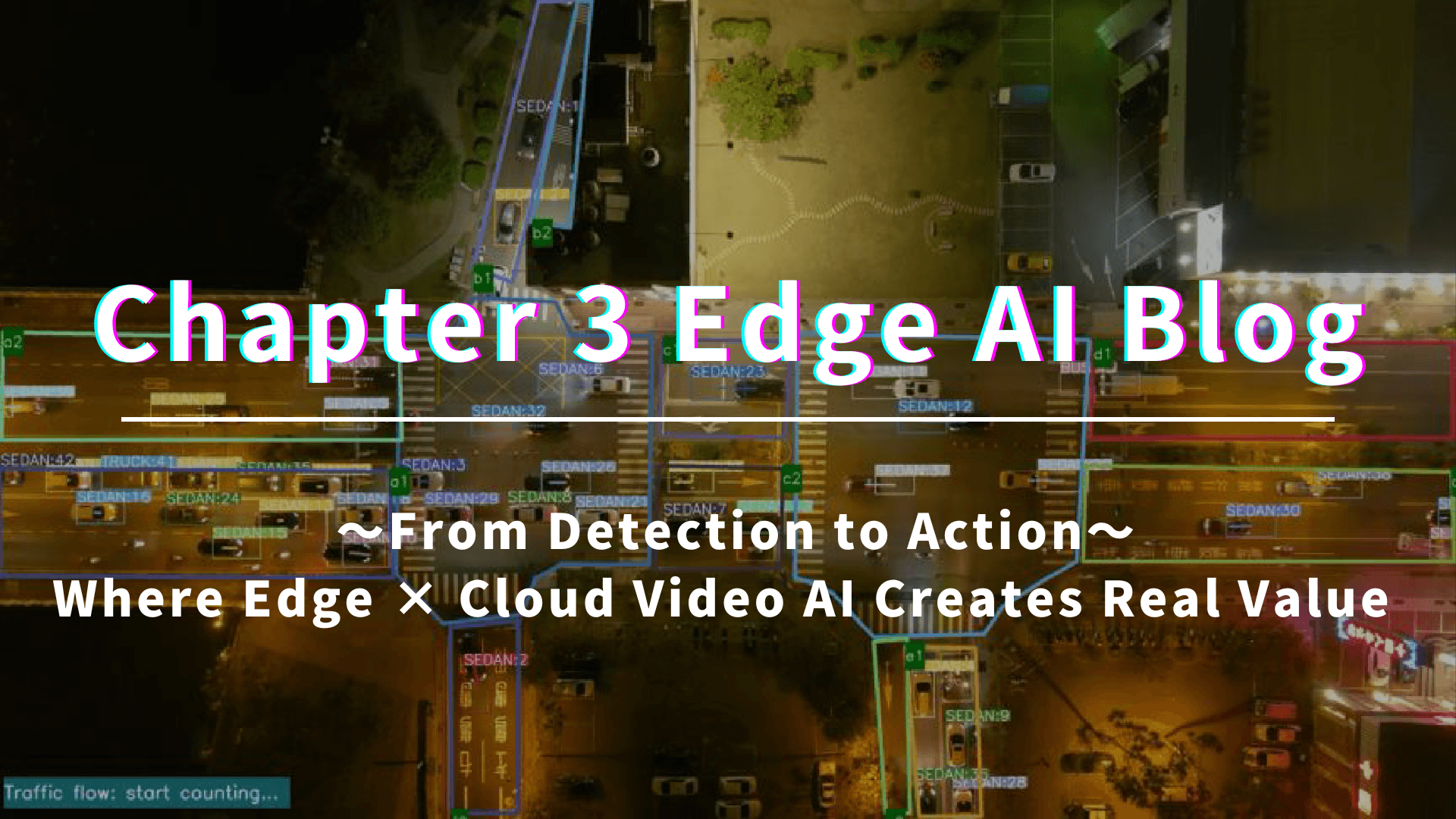
In the second episode, we organized the differences between general-purpose PCs (RTX-equipped PCs) and edge AI terminals optimized for on-site use (Jetson-equipped terminals). In this article (Episode 3), we will summarize how to "effectively differentiate their use and manage operations to achieve results" as a continuation. To conclude, by appropriately combining edge/on-premise/cloud according to the on-site requirements, it becomes easier to connect detection to "recording" and recording to "improvement."
Table of Contents
Scenarios of Video AI Use on Site (Representative Use Cases)
What Zenmov Can Provide (Requirement Definition → Introduction → Operation → Improvement)
Summary: Turning "Detection → Recording → Improvement"
1. Scenarios of Video AI Use on Site
Video AI is used to reduce tasks involving "constant human observation" and to quickly find abnormalities or signs. Specifically, it is being applied in the following locations and environments.
(1) Construction Sites / Factories / Plants / Warehouses (Safety and Operational Optimization) (e.g., Overview of Factory, Equipment, or Production Stoppage)
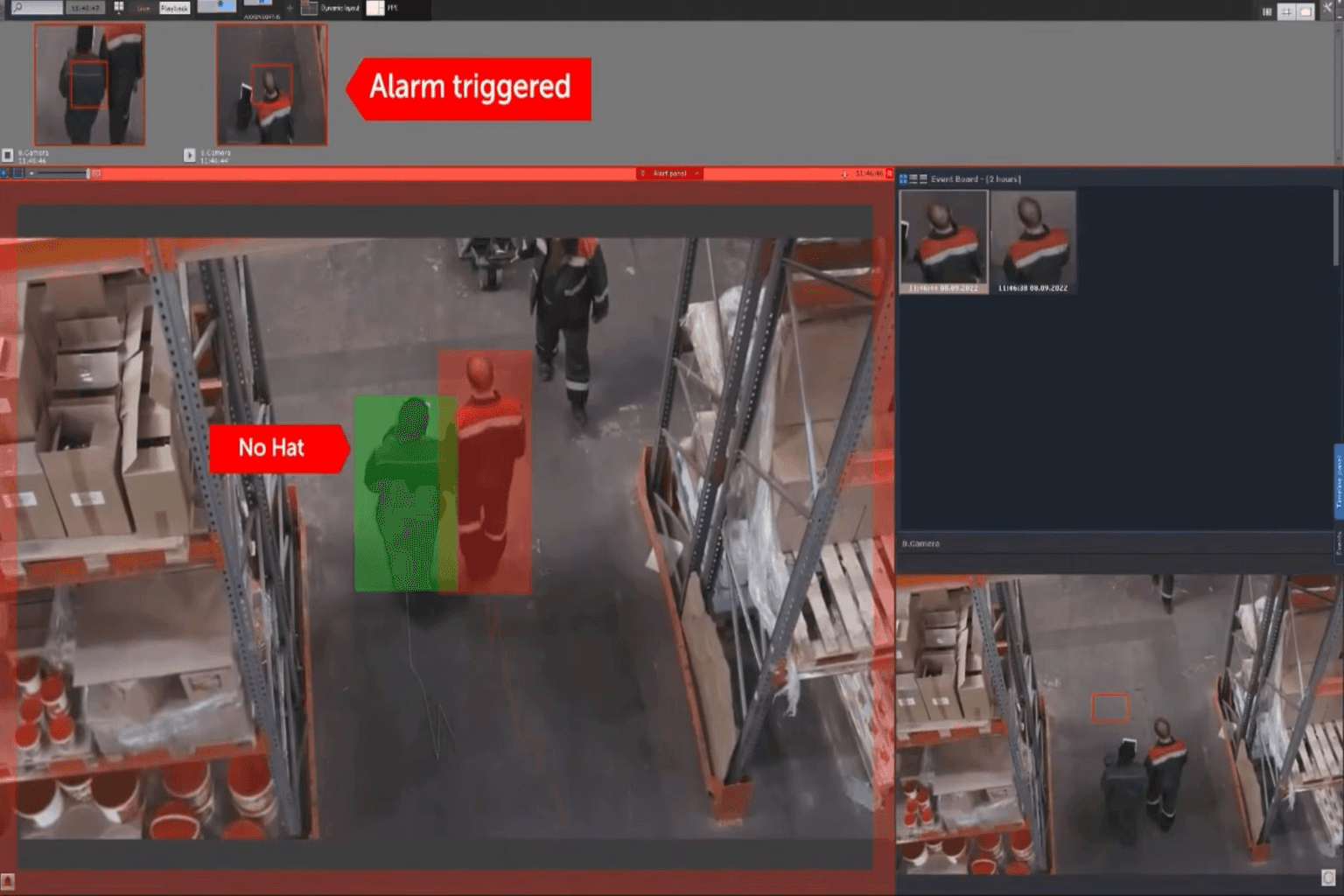
It detects intrusions into hazardous areas, falls, crouching, and non-usage of PPE, assisting in safety measures.
It understands the stagnation or abnormal signs around equipment to prevent production stops and increased response workloads.
It visualizes operational status, which can be used to improve non-stop operations (increase operational rates).
(2) Parking Lots / Multi-story Parking / Bicycle Parking (Visualization of Availability and Congestion)
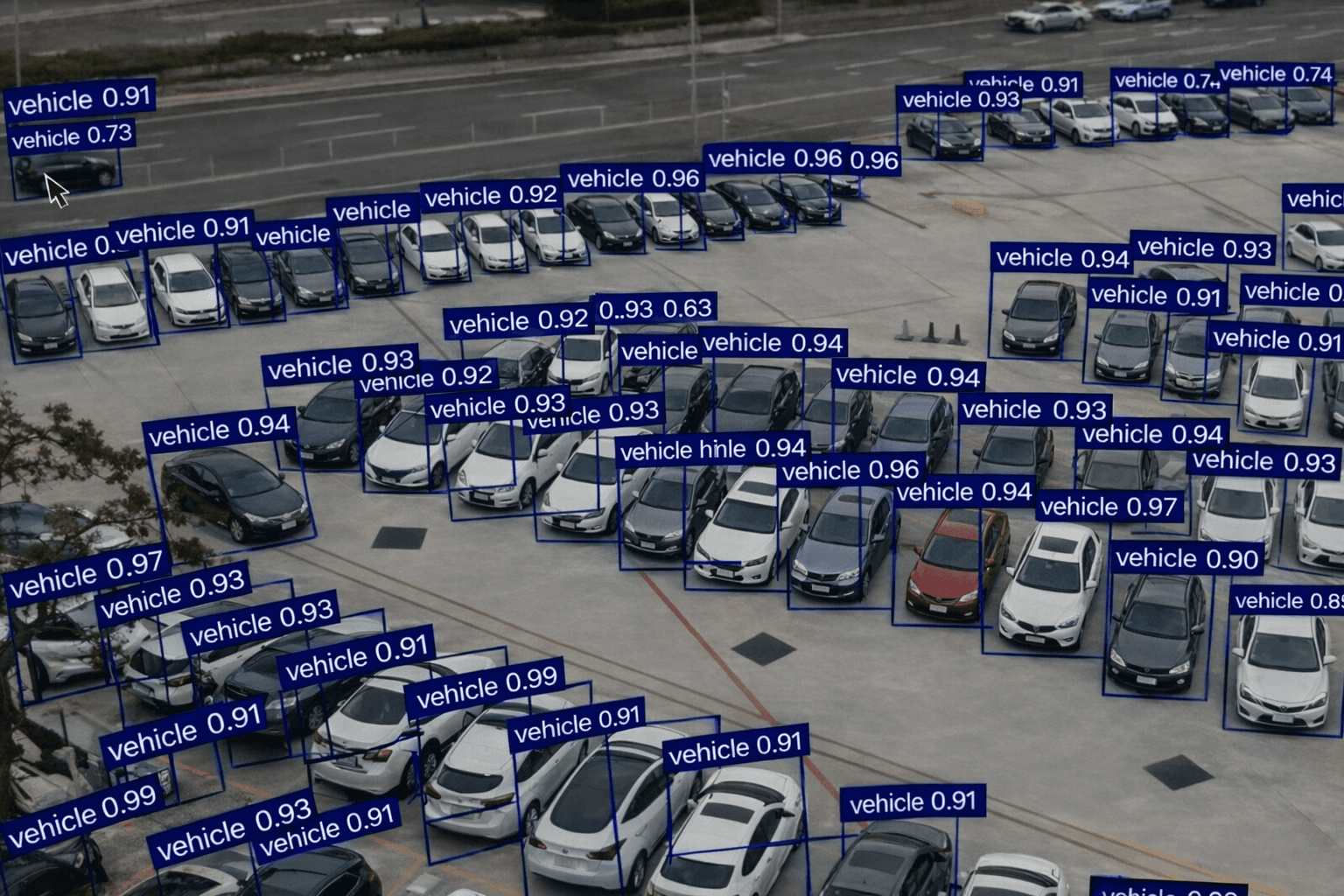
It automatically recognizes availability, congestion, and stays, reflecting it in operational decisions.
It visualizes stay trends and congestion factors, leading to improvements in guidance and layout.
It reflects this information in signage and web guidance, helping to disperse users.
(3) Security / Monitoring / Facility Management (Office Buildings, Commercial Facilities, Schools, Hospitals, Factory Premises, etc.)
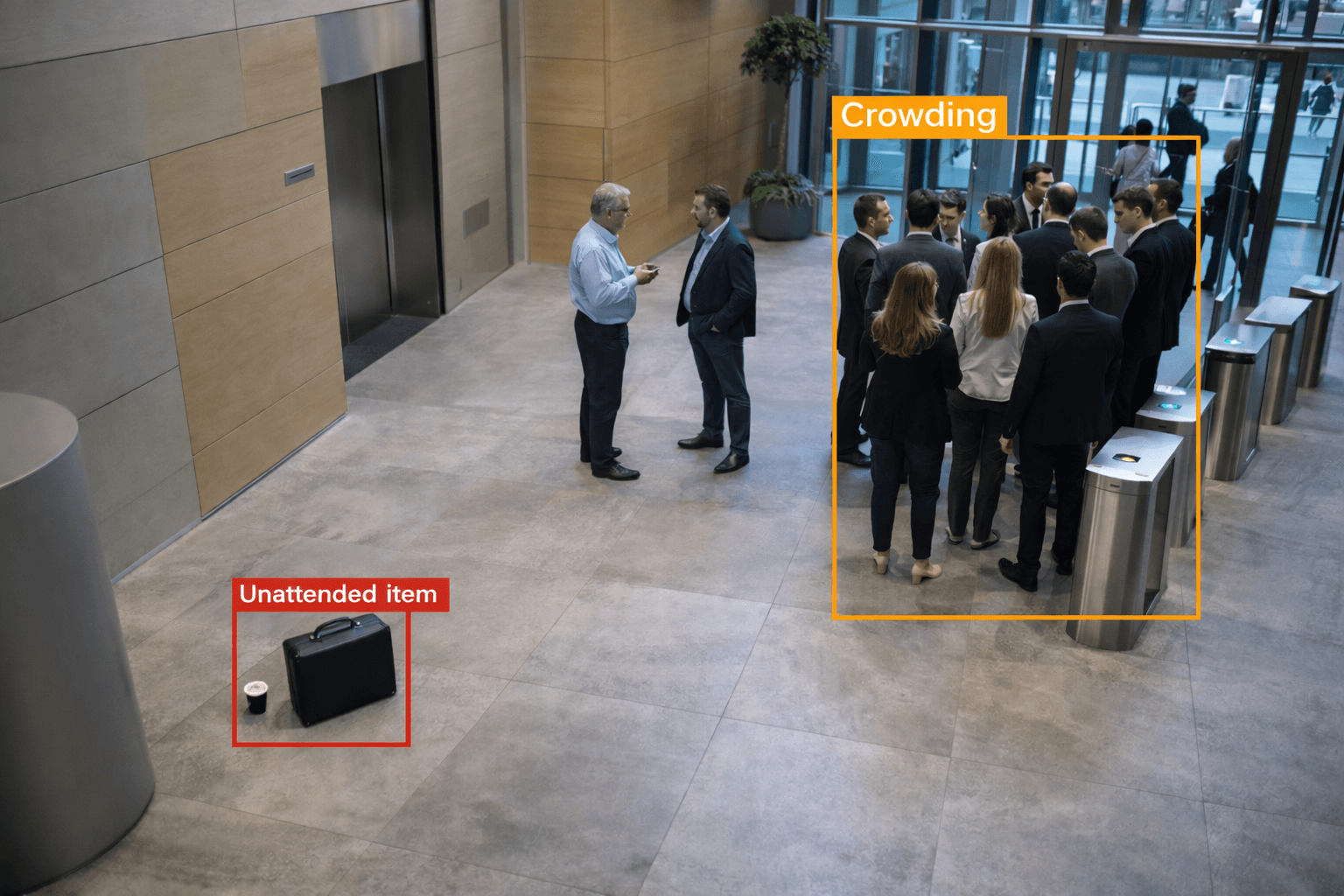
It detects intrusions, suspicious behavior, abandoned items, and stagnation, notifying the responsible personnel.
It visualizes congestion and lines, helping to improve security deployment and flow design.
(4) Logistics Warehouses / Delivery Centers / Yards (Visualization of Safety and Operations)
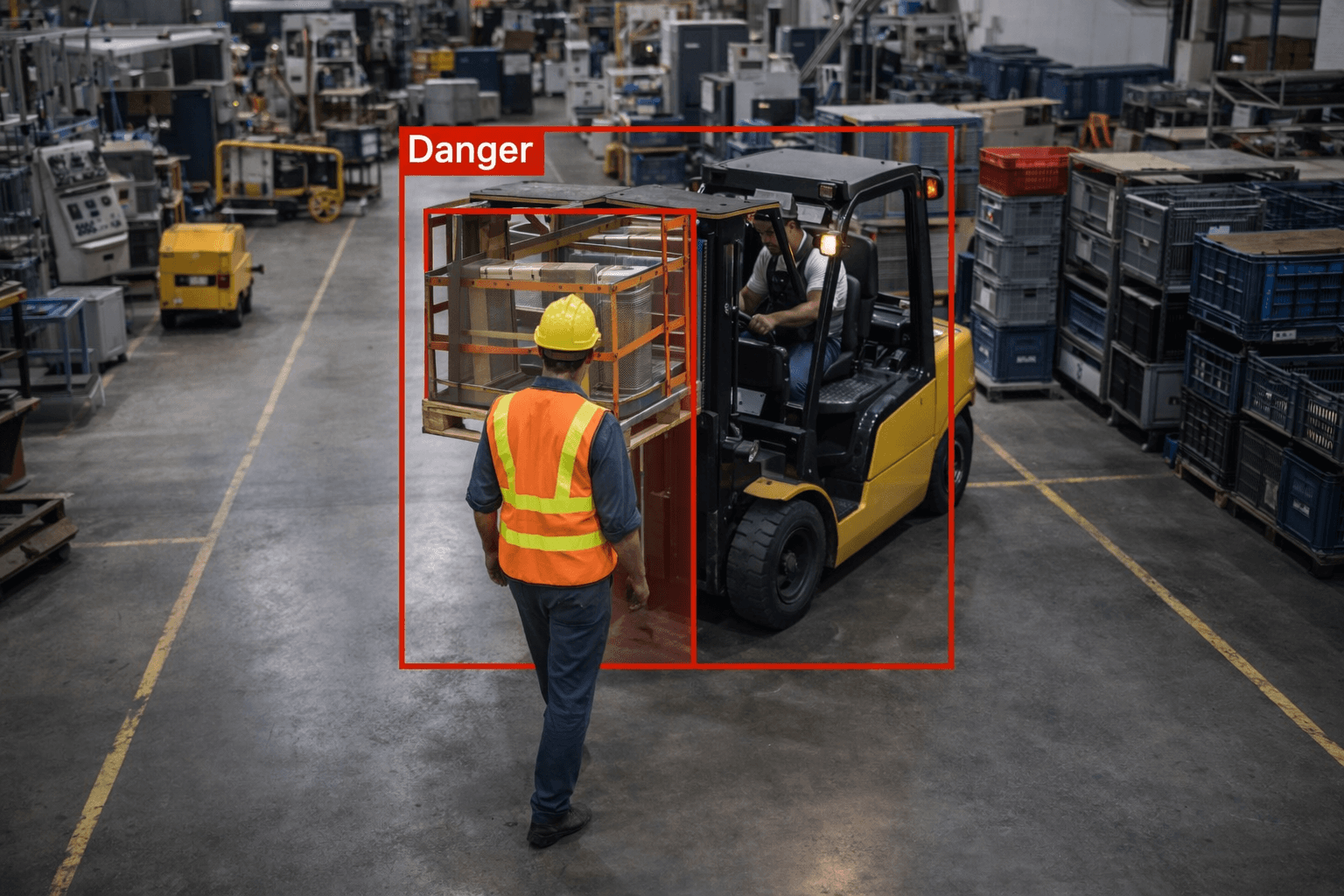
It detects proximity of forklifts and workers, as well as intrusions into hazardous areas, assisting in safety measures.
It understands stagnation, access, and queues in docks and yards, visualizing bottlenecks.
It leads to improvements in layout, procedures, and rules based on recorded data.
(5) Tourist Destinations / Event Venues / Train Stations / Airports (Analysis of Human Flow and Congestion)
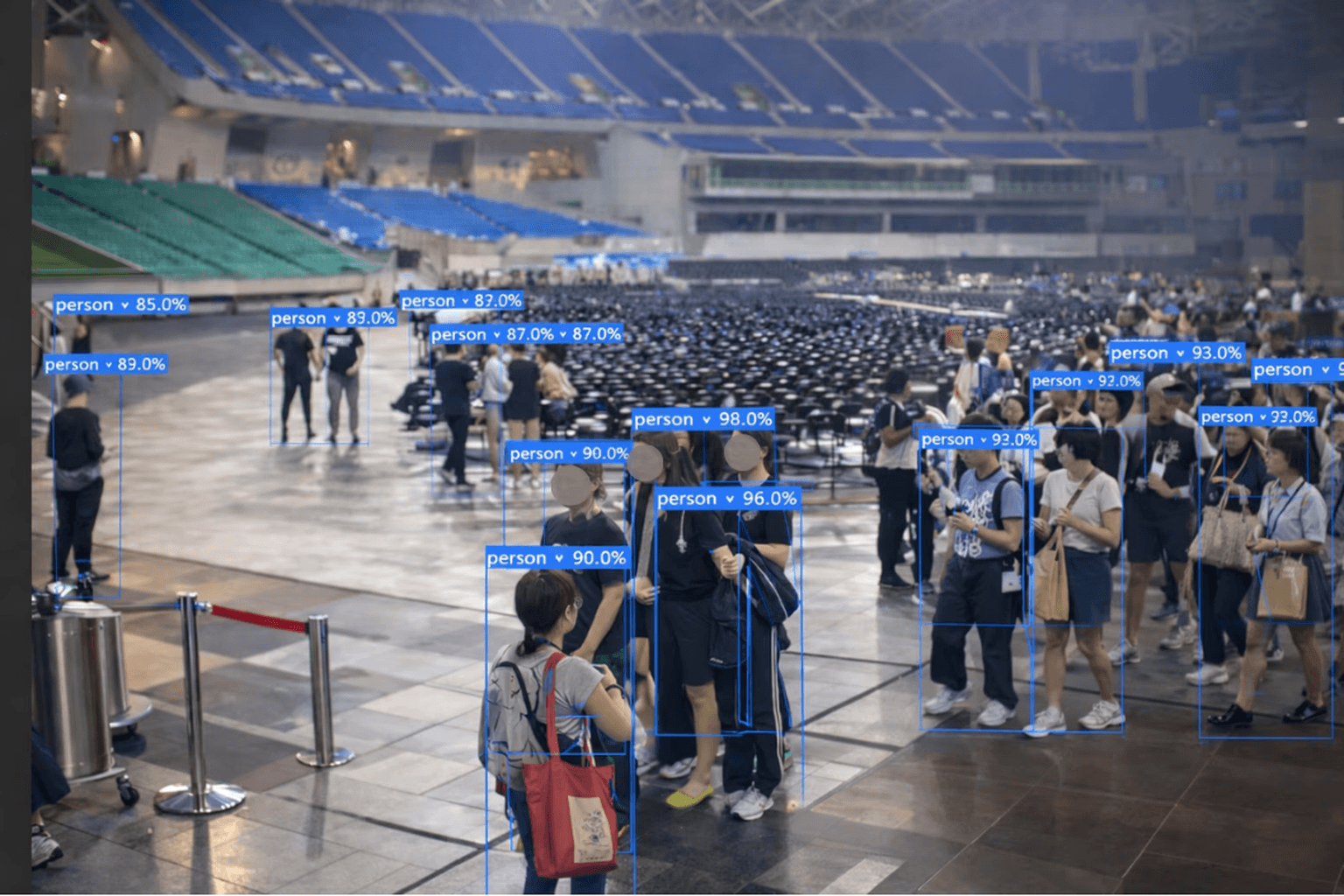
It visualizes congestion levels, flow, and stay duration, optimizing guidance, direction, and staff allocation.
It considers privacy by assuming non-identifying aggregation (anonymization/statistics).
(6) Disaster Prevention / Infrastructure (Factories, Warehouses, Parking Facilities, Roads / Tunnels, etc.)
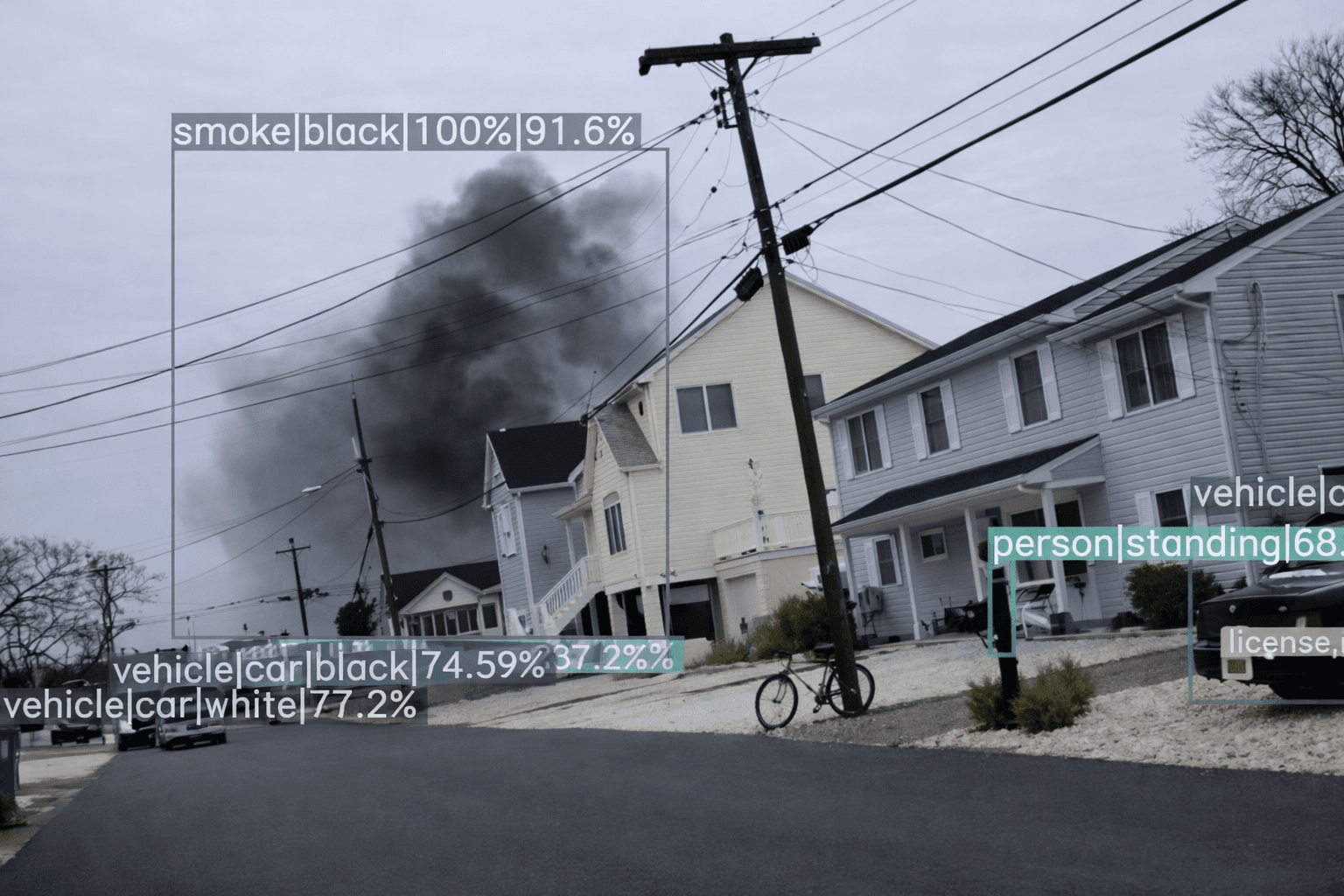
It early detects signs of smoke or flames and supports initial actions (notification, evacuation, firefighting).
It's an area where detection → notification → recording can be automated easily, even at night or in unmanned environments.
(7) Medical / Care (Hospitals, Clinics, Care Facilities, Waiting Rooms / Receptions, etc.)
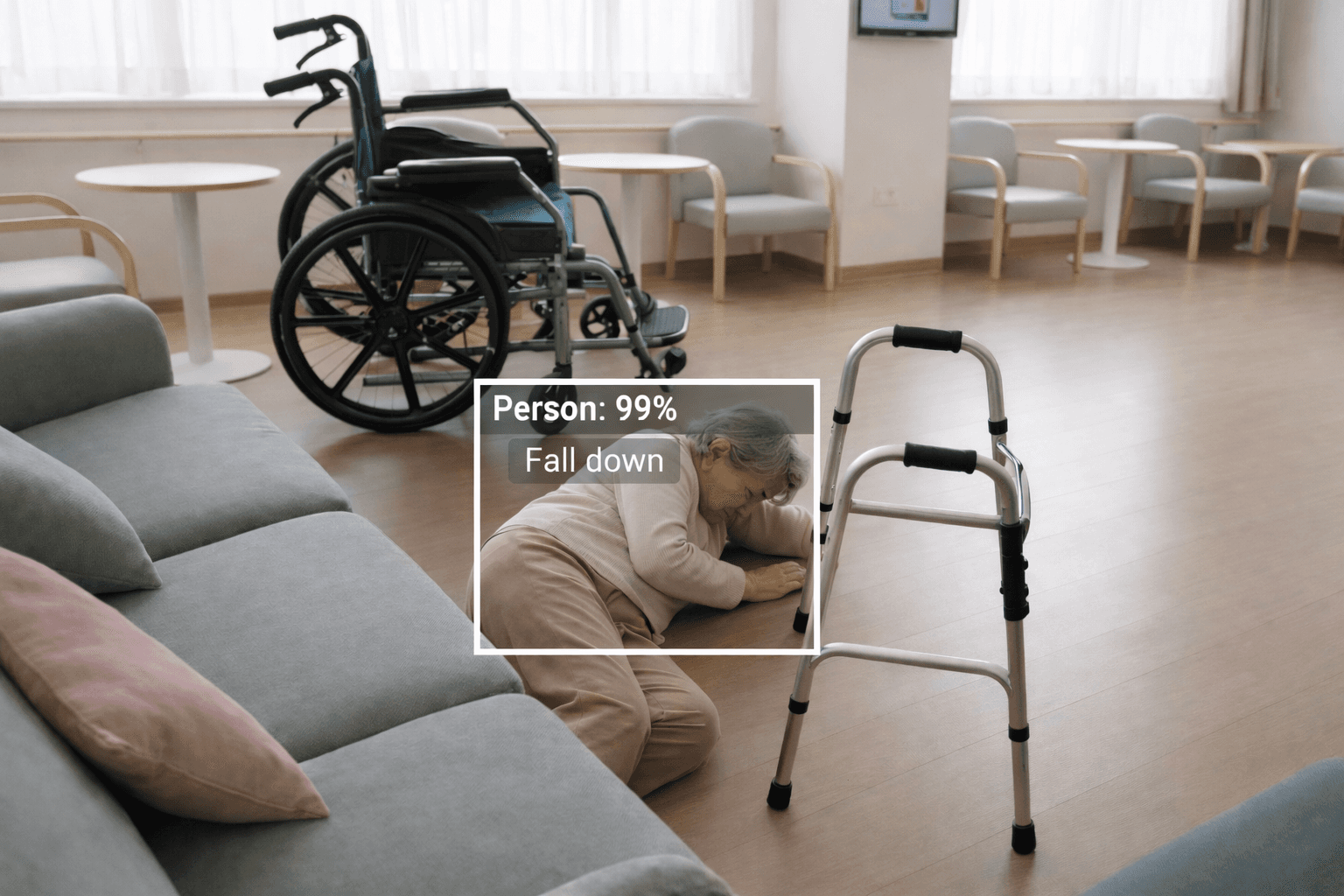
By recognizing signs of falls, bed exits, and wandering, it supports the reduction of monitoring burdens.
It visualizes congestion and stagnation, helping improve guidance and personnel allocation.
It is premised on considerations for privacy and the establishment of operational rules, such as masking and access permissions.
2. What Zenmov Can Provide (Requirement Definition → Introduction → Operation → Improvement)
Zenmov flexibly accommodates any configuration of edge/on-premise/cloud tailored to the site's constraints (network, installation environment, security requirements, etc.) and objectives (immediate notifications, recording saves, cross-site operations, etc.), proposing optimal combinations. It can also offer a setup that allows for centralized understanding and management of information such as terminals, cameras, detection results, and alert histories on a dashboard.
Additionally, it is equipped to support installations and operations in overseas locations (including Taiwan, The Philippines, Malaysia, United Arab Emirates, USA, etc.).
The video AI handled by Zenmov varies not only by "what to detect," but also by requirements for real-time responsiveness, handling of recording, and cross-site operations, resulting in optimal configurations that can be organized into the following three categories.
① Edge (Detecting on site and notifying immediately)
This configuration involves analyzing camera footage on-site, notifying and recording only the necessary results when abnormalities or signs are detected. It can be designed not to send video constantly to external sources, making it easier to suppress delays and data usage, and facilitate immediate responses on-site. This is particularly effective not only at fixed locations but also at “mobile sites” such as in vehicles or portable devices, allowing continued detection and recording in unstable communication environments.

Requirements Suitable for This Setup: Real-time responsiveness is crucial / Flexible or unstable lines / Prefer not to send footage externally (considering privacy)
Use Cases: Safety detection in factories (intrusions, falls, non-usage of PPE, etc.), detecting occupancy and congestion in parking lots, detection of intrusions and stagnation around gates, and detection/recording in public transport and logistics vehicles (event detection during operation and boarding/alighting detection, etc.)
② On-Premise (Establishing Recording, Searching, Permissions Management within the Company Environment)
This is effective when wanting to consolidate recorded footage and events within the company environment, including managing storage duration, viewing permissions, and audit responses.

Requirements Suitable for This Setup: Desire to complete operations within the company network / Strict security and audit requirements / Prioritizing traceability management
Use Cases: Monitoring operations for facilities or factory premises, organizing viewing ranges for stakeholders, confirming footage after incidents, and preventing re-occurrences
③ Cloud (Consolidating Multiple Sites for Unified Operations and Visualization)
This is effective when wanting to consolidate video and events from multiple sites, progressing towards understanding the situation at multiple locations and unifying operational rules.

Requirements Suitable for This Setup: Multiple sites exist / Desiring remote operation / Wanting to manage everything with one system
Use Cases: Integrated monitoring of multiple facilities, situation checks from remote locations, unification of alert response flows
(Note: Positioning of VMS)
The so-called VMS (Video Management System) functions such as recording, searching, permissions management, and multi-site operations enable quick searches of "when, where, and what happened" after accidents or troubles, facilitating sharing between relevant parties and standardization of operational rules.
3. Summary: Turning the Cycle of "Detection → Recording → Improvement"
The value of video AI is not only in finding dangers and anomalies but also in leaving recordings and leading to improvements. By combining a mechanism that allows for real-time awareness (edge inference) with operational foundations such as recording, searching, and permissions management, it makes it easier to turn the cycle of "Detection → Recording → Improvement."
Zenmov designs configurations and operations tailored to on-site requirements, supporting from PoC to launch, operation, and improvement. We would be happy if we could explore ways to produce results together in various locations such as factories, logistics, facility management, tourism, disaster prevention, and medical/care.
Proven Model (Example)
■ AI Detection Model / Detection Targets (Draft of Correction)
Boarding and Alighting Detection | People boarding and alighting from vehicles |
Human Posture Recognition | Recognizing postures such as standing, sitting, or lying down |
Face Recognition | Detecting the presence of a face and whether it is the right person |
Electronic Fence Detection | Detecting entry or exit of people or vehicles into designated areas |
Crowd Detection (Number of People Can Be Defined) | Detected congestion and how many people are gathering |
Human Stagnation (Stay Duration Can Be Set) | People staying in the same place for a long time |
Fall Detection | Detecting a person in a fallen state |
Stalking/Following Detection (Following Behind at the Entrance) | The act of entering while following someone without authentication |
Location Detection and Recording | Coming to or passing a specific place |
Clothing Detection (Detection of Work Clothes, Uniforms, etc.) | Detecting whether workers or users are wearing the specified clothing (uniforms, safety gear) |
Vehicle Fault Detection | Vehicles in a faulty state, such as being stopped and not moving |
Sudden Acceleration | Rapid sudden acceleration of a vehicle |
Reversing | A vehicle moving in the opposite direction |
Ignoring Red Lights | A vehicle entering or passing even with the signal being red |
Fence Over Jumping (Climbing Over Walls) | The act of climbing over walls or fences |
Speed Violation / Speed Measurement (including Section Measurement) | Whether the vehicle's speed exceeds the standard value |
Vehicle Number Recognition | Reading the vehicle's license plate |
Road Accidents | Occurrence of collisions or contact accidents |
Central Line Crossing (Crossing Double Lines) | A vehicle crossing the central regulation line of the lane |
Illegal U-Turn | Performing a U-turn at a prohibited location |
Motorcycle Prohibited Lane Usage | A motorcycle entering or traveling in a designated prohibited lane |
Parallel Parking | Vehicles parked side by side |
U-Turn Detection | A vehicle making a U-turn |
Entering Restricted Areas | The act of people or vehicles entering designated prohibited areas |
Intrusion of Foreign Objects onto Roads | Objects (obstacles) entering the roadway |
Tracking Vehicle Movement Trajectories | Tracking and recording the movement route of vehicles |
Illegal Parking (Red Lines, Yellow Lines, etc.) | Vehicles parked in areas where stopping or parking is prohibited |
Parking at Intersections | Vehicles parked within intersections |
Illegal Left/Right Turns | Prohibited left or right turn actions |
Heat Detection Sensor Detection | Detecting heat (infrared) from people or objects to confirm their presence |
■ AI Functions & Retail Analysis Pack / Function Descriptions
Event Search | Fast searching of recorded footage based on conditions (objects, actions, time, etc.). |
Multi-Camera Face Search | Cross-searching for the same person across multiple camera footage using facial recognition. |
Mask Detection | Determining the presence or absence of a mask from facial imagery. |
Multi-Camera Number Recognition Search | Recognizing and searching license plates via multiple cameras. |
Tag & Track (PTZ Tracking) | Tagging targets for automatic tracking by PTZ cameras. |
AI Person & Vehicle Detection | AI identifies people and vehicles, utilizing alerts and statistics. |
AI Fire & Smoke Detection | AI detects fires and smoke at an early stage. |
People Counting | Automatically measuring visitor counts and congestion levels. |
Heat Maps | Visualizing areas of people staying and movement patterns with color coding. |
Line Detection | Detecting queues and stagnation statuses. |
■ PPE (Personal Protective Equipment) Detection Function
Helmets | Detecting the presence or absence of hard hats. |
High-Visibility Vests | Detecting high-visibility clothing such as fluorescent vests. |
Protective Clothing | Detecting designated work clothes and protective gear. |
■ Human Behavior Analysis
Fall Detection | Detecting a person in a fallen state. |
Hand Raising Detection | Detecting a pose with both hands raised. |
Crouching Action Detection | Detecting a crouched posture. |
Social Distance Violation Detection | Measuring the distance between people and detecting if it is less than a certain distance. |
■ Others
Entry and Exit Management System Integration | Integrating video with door unlocking and entry/exit management. |
Fire & Alarm System Integration | Triggering events in conjunction with fire alarms and warning systems. |
Perimeter Intrusion Detection System Integration | Integrating with perimeter sensors to detect intrusions. |
External Event Integration | Integrating information from external devices like POS with video. |
Face Recognition (Watchlist) | Identifying registered individuals or persons of interest. |
Number Recognition (Watchlist) | Recognizing already registered vehicles or vehicles of interest. |
Custom AI Analysis | Utilizing user-defined AI models. |
Water Level Detection | Detecting changes in water levels. |
Offline Analysis | Executing analysis and search of imported video. |
Multi-Camera Object Tracking | Tracking targets across multiple cameras. Detecting queues and stagnation statuses. |
Similar Search | Searching for people similar to those in photos or videos from footage. |
Data Center Domain Integration | Integrating and managing multiple domains in large-scale environments. |